
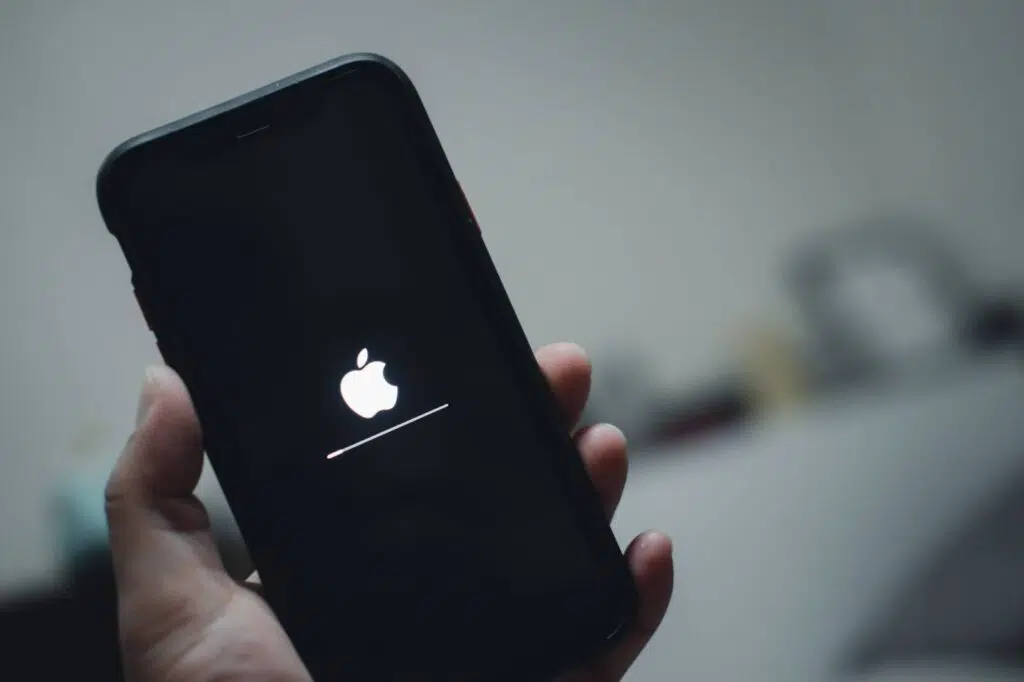
If your iPhone is stuck on the Apple logo and keeps rebooting, you are not alone. This is a very common iPhone problem, and it can happen to both new and old models. One moment your phone is working fine, and the next it is trapped in a restart loop that never ends. The good news is that this issue is often fixable, and in many cases, your data can still be saved.
In this guide, we will explain why your iPhone is stuck on the Apple logo and rebooting, what causes it, and what you can do to fix it. We will also cover when it is time to stop trying DIY fixes and visit a professional repair or data recovery service like Techtronics.
What Does It Mean When an iPhone Is Stuck on the Apple Logo?
When an iPhone is stuck on the Apple logo, it usually means the device cannot finish the startup process. Instead of loading iOS completely, the phone gets stuck halfway and keeps restarting. This issue is often called a boot loop.
Your iPhone may:
- Show the Apple logo for a few seconds
- Restart on its own
- Repeat the same cycle over and over
This problem can affect any iPhone model, including iPhone 8, iPhone X, iPhone 11, iPhone 12, iPhone 13, and newer versions.
Common Reasons Why an iPhone Is Stuck on the Apple Logo and Rebooting
Software Update Problems
One of the most common reasons for an iPhone stuck on the Apple logo is a failed iOS update. If the update was interrupted by low battery, weak internet, or lack of storage, the system files may become corrupted.
Not Enough Storage Space
If your iPhone storage was almost full before restarting or updating, iOS may fail to load properly. This can easily cause reboot loops and Apple logo issues.
Corrupted iOS System Files
System files can get corrupted due to app crashes, failed updates, or sudden shutdowns. When this happens, the phone cannot boot correctly.
Hardware Damage
Hardware issues can also cause your iPhone to get stuck on the Apple logo and rebooting. Common hardware problems include:
- Water or liquid damage
- Battery failure
- Logic board damage
- Faulty internal connectors
Jailbreaking Issues
If your iPhone was jailbroken, system instability is very common. Jailbreaking modifies core system files, which can easily lead to boot loop problems.
How to Fix an iPhone Stuck on the Apple Logo and Rebooting
Force Restart Your iPhone
A force restart is the first thing you should try. It does not delete data and can sometimes fix minor software glitches.
Steps vary by model:
- For iPhone 8 and newer: Quickly press Volume Up, then Volume Down, then hold the Side button until the Apple logo appears.
- For iPhone 7 and 7 Plus: Hold Volume Down and Power button together.
- For iPhone 6s and older: Hold Home and Power button together.
Update iOS Using Recovery Mode
If force restart does not work, Recovery Mode may help.
Steps:
- Connect your iPhone to a computer.
- Open iTunes or Finder.
- Put your iPhone into Recovery Mode.
- Choose Update when prompted.
This reinstalls iOS without erasing your data.
Restore iPhone Using Recovery Mode
If updating fails, restoring may be required. Be careful because this will erase data unless it is backed up.
Only choose this option if:
- You have a recent backup
- Or data is not important
Check for Hardware Problems
If your iPhone is still stuck on the Apple logo after software fixes, hardware damage is likely. In this case, continued DIY attempts can make things worse, especially if data recovery is needed.
When to Stop DIY Fixes and Seek Professional Help
You should stop trying home fixes if:
- The iPhone keeps rebooting after restore attempts
- The phone was exposed to water or liquid
- The device heats up during reboot loops
- Important data is not backed up
Professional repair and data recovery services can diagnose the issue safely and recover your data without risking permanent loss.
FAQs About iPhone Stuck on the Apple Logo and Rebooting
Can I fix an iPhone stuck on the Apple logo without losing data?
Yes, in many cases. Methods like force restart or updating through Recovery Mode can fix the issue without deleting data.
Why does my iPhone keep restarting on the Apple logo?
This usually happens due to corrupted iOS files, failed updates, low storage, or hardware problems like battery or logic board issues.
Does a factory reset fix an iPhone boot loop?
A factory reset can fix software issues, but it will erase all data. It should only be used as a last resort.
Can water damage cause an iPhone to be stuck on the Apple logo?
Yes. Liquid damage often affects internal components and can easily cause reboot loops and startup failures.
Is an iPhone stuck on the Apple logo a serious problem?
Sometimes it is minor and software related. Other times it can signal serious hardware damage. Proper diagnosis is important.
FAQs About Techtronics
What is Techtronics?
Techtronics is a professional repair and data recovery service in New York City specializing in iPhone, smartphone, and electronic device issues, including boot loops and Apple logo problems.
Can Techtronics recover data from an iPhone stuck on the Apple logo?
Yes. Techtronics focuses on safe data recovery methods and advanced repair techniques to recover photos, videos, contacts, and important files.
Do I need an appointment at Techtronics?
Appointments are recommended, but walk ins are usually welcome. Contact Techtronics for availability.
Does Techtronics work on water damaged iPhones?
Yes. Techtronics handles water damaged iPhones, logic board repairs, and advanced diagnostics.
Is Techtronics experienced with boot loop issues?
Yes. iPhones stuck on the Apple logo and rebooting are one of the most common problems Techtronics handles.
An iPhone stuck on the Apple logo and rebooting can be stressful, especially if you have important data on the device. While some cases can be fixed with simple steps like force restart or iOS update, others require professional help. Knowing when to stop DIY fixes can save your data and your phone.
If your iPhone is still stuck and nothing works, a trusted repair and data recovery service like Techtronics can help diagnose the issue and get your device or data back safely. Schedule a visit today! www.techtronicsmobile.com/appointments
Top-tier Smartphone, Computer, Laptop Repair, and Data Recovery Services in NYC
At Techtronics, we offer professional, reliable, and fast service at competitive prices. Techtronics specializes in all aspects of electronic repair. With certified repair specialists skilled in integrated circuit board repair.
We stand behind our work with a 60-day guarantee. If anything goes wrong, bring it back, and we’ll make it right.
Contacts
Trains Nearby:
- F,B,D,M,Q,N,R,W @ 34 St- Herald Sq
- 1,2,3,A,C,E @ 34 St- Penn Station
- N,Q,R,W,7 @ Times Sq- 42 St
- A,C,E,1,2,3 @ 42 St- Port Authority Bus Terminal
- 7 @ 34th St-Hudson Yards
Address: 248 W 35th St, New York, NY 10001
Contact: (212) 920-6533
Email: hello@techtronicsmobile.com
Open Hours
Monday-Friday 11AM-7PM
Saturday 11AM-6PM
Sunday 12PM-6PM
Contacts
Trains Nearby:
- C,B @ 96 St
- 1,2,3 @ 96 St
- C,B @ 103 St
- 1 @ 103 St
Address: 2578 Broadway, New York, NY 10025
Contact: (212) 960-8785
Email: hello@techtronicsmobile.com
Open Hours
Monday-Saturday 11AM-7PM
Sunday 12PM-7PM
Contacts
Address: 248 W 35th St, New York, NY 10001
Contact: (212) 920-6533
Email: hello@techtronicsmobile.com
Open Hours
Monday-Friday 11AM-7PM
Saturday 11AM-6PM
Sunday 12PM-6PM
Trains Nearby:
- F,B,D,M,Q,N,R,W @ 34 St- Herald Sq
- 1,2,3,A,C,E @ 34 St- Penn Station
- N,Q,R,W,7 @ Times Sq- 42 St
- A,C,E,1,2,3 @ 42 St- Port Authority Bus Terminal
- 7 @ 34th St-Hudson Yards
Contacts
Address: 2578 Broadway, New York, NY 10025
Contact: (212) 960-8785
Email: hello@techtronicsmobile.com
Monday-Saturday 11AM-7PM
Sunday 12PM-7PM
Trains Nearby:
- C,B @ 96 St
- 1,2,3 @ 96 St
- C,B @ 103 St
- 1 @ 103 St