
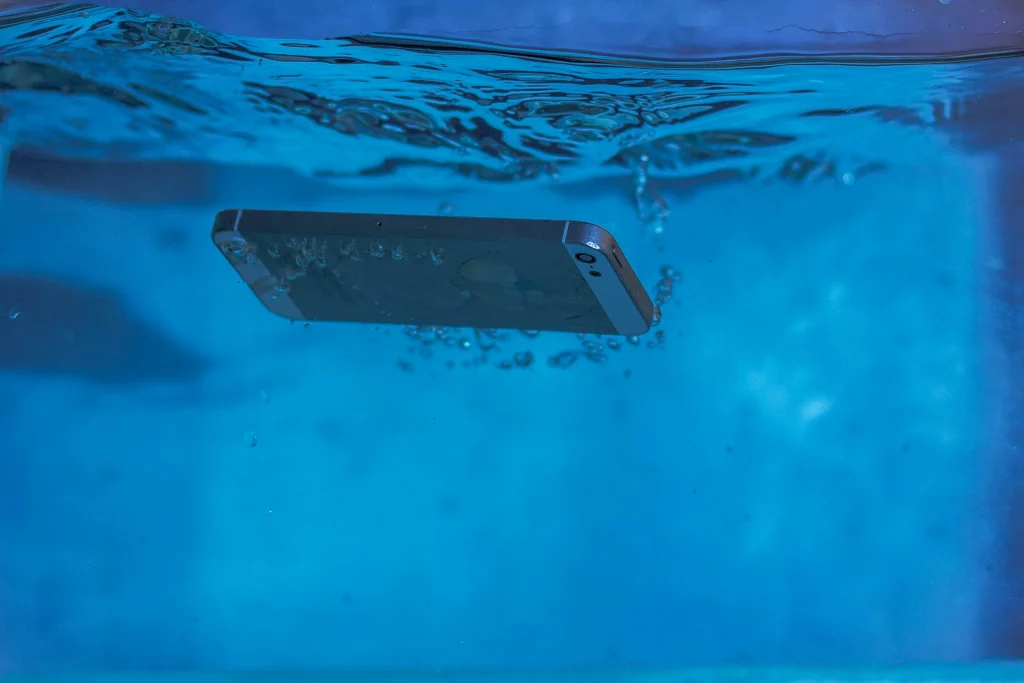
Water damage is one of the scariest things that can happen to your phone. Whether it fell in the sink, got splashed at the beach, or took an accidental dive into the toilet (hey, it happens!), don’t panic. With the right steps, there’s a good chance your iPhone can be fixed.
Let’s break it down so you know exactly what to do—and what not to do—if your iPhone gets wet.
How to Find Out If Your iPhone Has Water Damage?
Apple makes this part pretty easy. Most iPhones come with a Liquid Contact Indicator (LCI) inside the SIM card slot. If this turns red, it means water has entered the device. Normally, it’s white or silver when dry.

How Do I Know If My Phone Is Water Damaged?
Here are a few signs to look for:
- There device does not power on
- You hear muffled or no sound from the speakers
- Charging or headphone port stops working
- The device randomly shuts down or restarts
- The LCI (inside SIM tray) is red
- The screen starts flickering or doesn’t respond
Even if your iPhone seems fine right after getting wet, moisture can still cause hidden damage later.
Common Types of Water Damage
Different parts of your iPhone can be affected depending on how it got wet:
| Component | Potential Issue |
| Screen | Flickering, ghost touch |
| Speakers/Microphone | Muffled audio, not working |
| Battery | Not holding charge |
| Charging Port | Not charging or connecting to cable |
| Logic Board | Complete failure or strange behavior |
Can iPhone Water Damage Be Repaired?
Yes! In many cases, iPhone repairs and service for water damage are possible—especially if you act fast. It depends on how long the phone was exposed and how much water got inside. Sometimes just drying it properly does the trick. Other times, a technician might need to replace parts.
Is iPhone Water Damage Permanent?
Not always. Some water damage can be reversed, especially if the internal components weren’t exposed for too long. But if corrosion starts to set in, things can get tricky. That’s why quick action is your best bet to avoid permanent damage.
Does Rice Really Dry Out Your Phone?
The short answer: not really. While rice can absorb moisture, it’s not the best option. It can leave behind dust or starch, which can harm your iPhone further. Instead, try silica gel packs—the kind you find in shoeboxes or electronics packaging. These are much more effective.
How to Fix a Water Damaged iPhone?
Here’s what to do immediately:
Step 1: Turn it off
Press and hold the power button to shut it down. Don’t use it, don’t charge it—just power it off.
Step 2: Remove accessories
Take off the case, unplug cables, and remove the SIM card.
Step 3: Dry the outside
Use a soft cloth to gently pat dry. Don’t rub!
Step 4: Use silica gel packs
Place your iPhone in a sealed container with these packs. Leave it for at least 48 hours.
Step 5: Air dry it
Let it sit in a dry, warm place. Avoid direct sunlight or heaters.
Step 6: Try turning it on
After two days, power it up. If it works—great! If not, move to the next step.
Step 7: Visit a professional
Don’t wait too long. If you are living in New York, Head to an expert iPhone repairs and service center like Techtronics. They have tools to fix internal corrosion or swap out damaged parts.
Does Apple’s Warranty Cover Water Damage?
Unfortunately, Apple’s standard warranty doesn’t cover liquid damage. Even though some iPhones are water-resistant, they’re not waterproof. However, if you have AppleCare+, you might be eligible for a discounted replacement fee.
Things You Should Never Do When Your iPhone or iPad Gets Wet
🚫 Don’t turn it on
🚫 Don’t charge it
🚫 Don’t shake it
🚫 Don’t use a hairdryer
🚫 Don’t take it apart yourself
These mistakes can push water deeper or cause more harm.
FAQs About Fixing a Water Damaged iPhone
1. Can a water damaged iPhone be fixed?
Yes! If you act quickly, your iPhone can often be saved. Follow the drying steps and avoid turning it on too soon.
2. How long does it take to dry out an iPhone?
Ideally, give it at least 48 hours before trying to power it on.
3. Will Apple fix a water damaged iPhone?
Only if you have AppleCare+. Otherwise, they might offer a replacement for a fee. Independent repair shops like Techtronics may be more affordable.
4. What’s better than rice for drying a phone?
Silica gel packs. They absorb moisture better and don’t leave debris.
5. How can Techtronics help with water damaged iPhones?
Techtronics offers expert iPhone repairs and service, including diagnostics, part replacements, and professional drying techniques. Their experienced techs can often save phones others might declare lost.
6. Is it worth repairing a water damaged iPhone?
Yes, especially if it’s a newer model. Getting your iPhone fixed is often cheaper than buying a new one.
Final Thoughts
Water damage can feel like a death sentence for your iPhone—but it doesn’t have to be. Act fast, avoid common mistakes, and know when to seek professional help. For someone who’s living in New York City, Visiting a trusted repair shop like Techtronics, there’s usually a way to fix a water damaged iPhone.
Other iPhone Repair Services
At Techtronics, we specialize in fast, reliable, and affordable iPhone repairs right here in New York City. Here are the most common iPhone issues we fix:
iPhone Screen Repair
Cracked or shattered screen? No problem. We provide professional iPhone screen repair using premium-quality parts that restore your display’s look and touch sensitivity. Whether it’s a minor crack or complete glass replacement, our technicians can make your screen look like new—often in under an hour.
iPhone Battery Replacement
If your battery drains quickly or shuts down unexpectedly, it might be time for a replacement. Our iPhone battery replacement service ensures your device runs longer and charges faster. We use high-quality, compatible batteries that meet Apple’s performance standards for safety and efficiency.
iPhone Data Recovery
Accidentally deleted important files? Dropped your phone in water? We offer advanced iPhone data recovery solutions to retrieve lost photos, videos, contacts, and more. Whether your phone is damaged, corrupted, or unresponsive, our skilled tech team can recover your data safely and securely.
iPhone Boot Loop Repair
Stuck on the Apple logo or dealing with a restarting loop? This is a common problem often caused by iOS update failures or software issues. Our iPhone boot loop repair service is designed to diagnose and fix the root cause—whether it’s a hardware glitch or software corruption—so your iPhone can boot up normally again.
Top-tier Smartphone, Computer, Laptop Repair, and Data Recovery Services in NYC
At Techtronics, we offer professional, reliable, and fast service at competitive prices. Techtronics specializes in all aspects of electronic repair. With certified repair specialists skilled in integrated circuit board repair.
We stand behind our work with a 60-day guarantee. If anything goes wrong, bring it back, and we’ll make it right.
Contacts
Address: 248 W 35th St, New York, NY 10001
Contact: (212) 920-6533
Email: hello@techtronicsmobile.com
Open Hours
Monday-Friday 11AM-7PM
Saturday 11AM-6PM
Sunday 12PM-6PM
Contacts
Address: 2578 Broadway, New York, NY 10025
Contact: (212) 960-8785
Email: hello@techtronicsmobile.com
Open Hours
Monday-Saturday 11AM-7PM, Sunday 12PM-7PM
Contacts
Address: 248 W 35th St, New York, NY 10001
Contact: (212) 920-6533
Email: hello@techtronicsmobile.com
Open Hours
Monday-Friday 11AM-7PM
Saturday 11AM-6PM
Sunday 12PM-6PM
Contacts
Address: 2578 Broadway, New York, NY 10025
Contact: (212) 960-8785
Email: hello@techtronicsmobile.com
Open Hours
Monday-Saturday 11AM-7PM, Sunday 12PM-7PM